 To change languages to use, you need to reboot Studio.
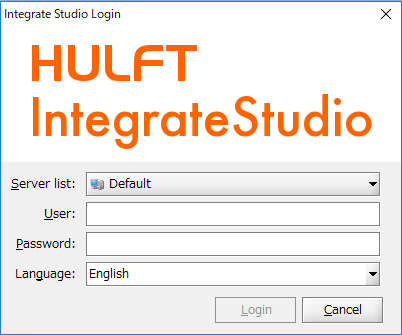
| Item name | Required/Optional | Description | Remarks |
|---|---|---|---|
| Server list | required | Specify the IP address or the name of IntegrateServer host. | |
| User | required | Specify a user name to log in to your IntegrateServer account. | |
| Password | required | Password to authenticate the user with IntegrateServer. | |
| Language | required | Select the language for you to use in Studio |
|
Initial password for the root user is configured during the installation process. The default password is 'password' if it was not changed.
 See User Account Settings for how your password can be changed
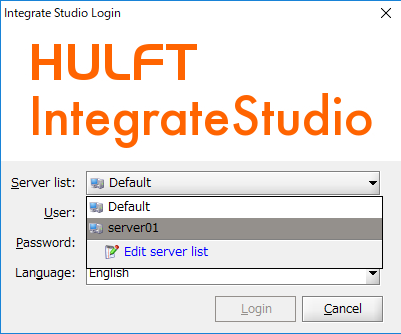
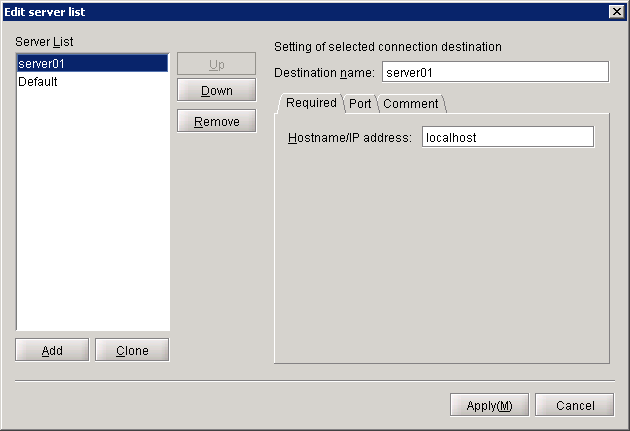
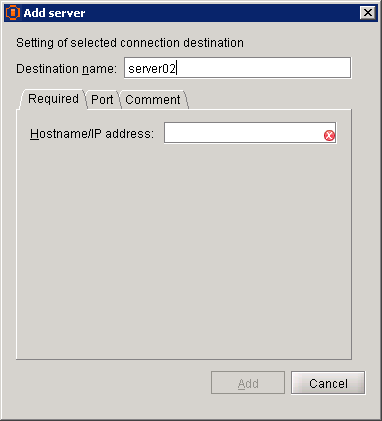
| Item name | Required/Optional | Description | Remarks |
|---|---|---|---|
| Destination name | required | Specify a string identifier for the connection | |
| Hostname/IP Address | required | Specify IntegrateServer hostname or IP address | |
| Port number | required | Specify IntegrateServer port | |
| Comment | optional | Enter the information of the connection destination. |
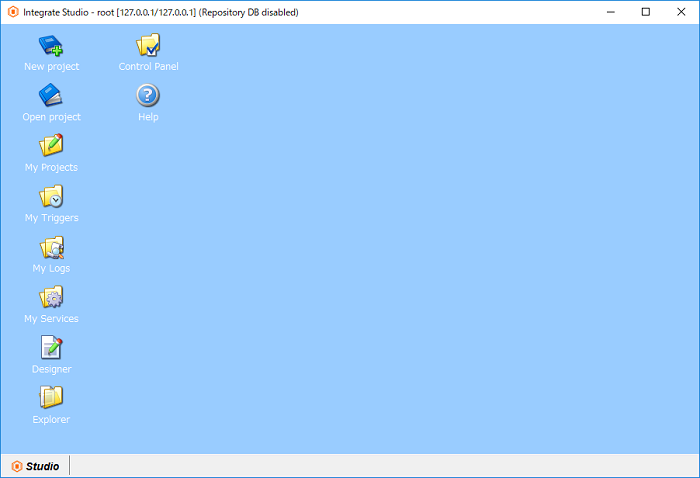 Provided in the title bar is the following information.
 IntegrateServer address corresponds to the connection settings specified for Studio.
| Icon | Tool name | Description | Remarks |
|---|---|---|---|
 |
New project | Creates a new project. | |
 |
Open project | Open the selected project in Designer. | |
 |
My Projects | Manages existing projects. | |
 |
My Triggers | A list of triggers available to the logged in user is displayed in My Triggers. Triggers can also be edited and deleted. | |
 |
My Logs | Using My Logs, user can view the record of script execution histories filtered by criteria specified. | |
 |
My Services | Services registered with the server can be managed using My Services. | |
 |
Designer | Used to create scripts. | |
 |
Explorer | Used to operate, refer and edit files and directories on Integrate file system. | |
 |
Control Panel | Control Panel allows users to view and manipulate IntegrateServer system settings and controls. | |
 |
Help | Launches this help document. |